TubeCaps · YouTube Transcript Toolkit

Turn a YouTube transcript into a usable draft without leaving the video.

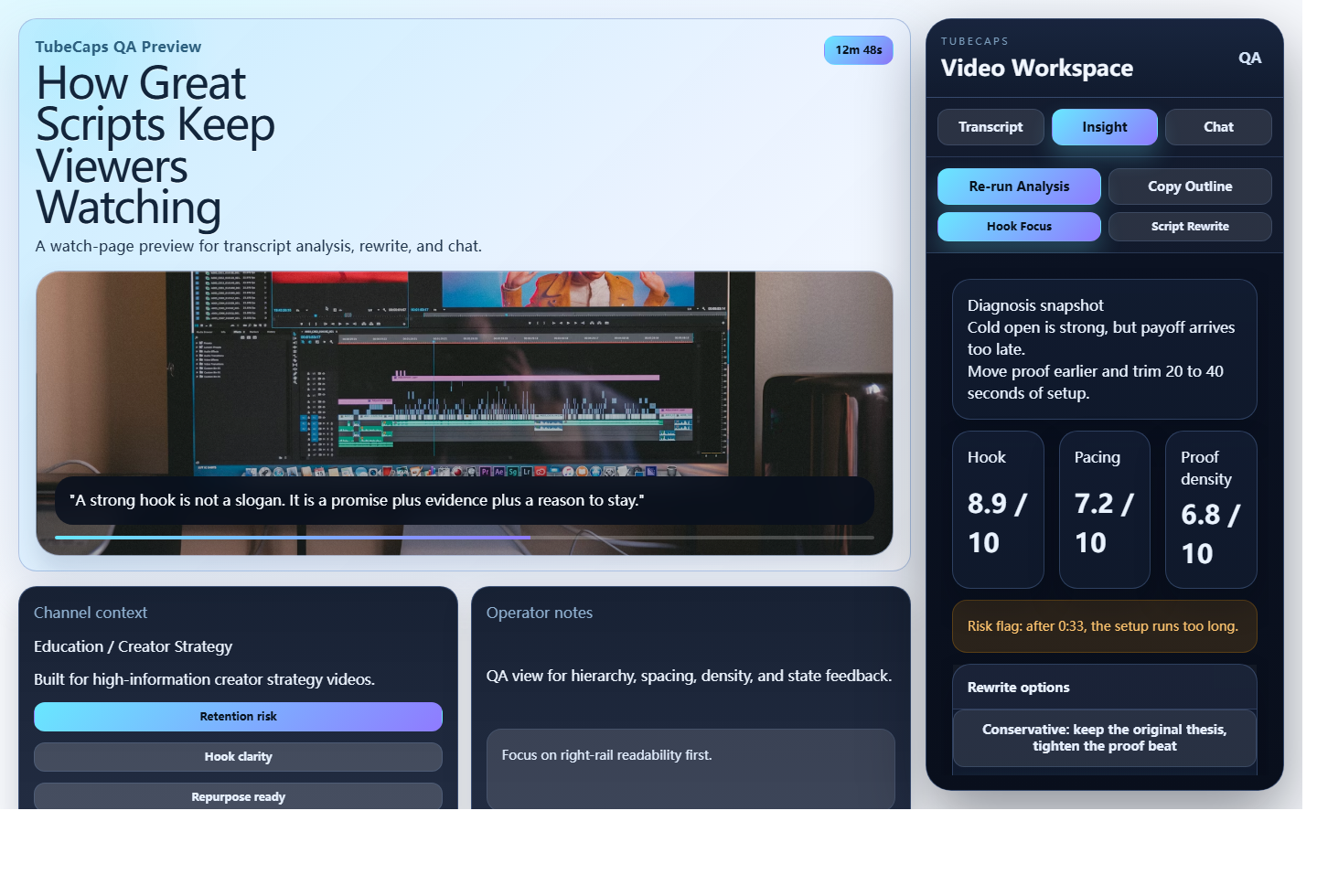
TubeCaps keeps transcript capture, summary, and rewrite in one browser-native workflow. Open a video, pull the transcript into your workspace, and keep refining without bouncing across tabs.

For YouTube Live Chrome Extension
Core Capabilities

Built for fast transcript work.

One page. One flow. No copy-paste maze.

Capture the source

Work directly from the current YouTube page instead of moving transcript text through extra tools.

  • Keep the video, transcript, and output in one workspace
  • Use available subtitle or transcript text as the starting point
  • Export the useful parts once the draft is ready

Summarize the structure

Reduce long videos into the sections and supporting points that matter for your next step.

  • Compress long transcripts into quick takeaways
  • Spot the main beats before you start editing
  • Keep the original wording close enough for review

Rewrite the next draft

Use the transcript as working material, then rewrite key points into something shorter, clearer, or more reusable.

  • Generate alternate phrasing for rough sections
  • Turn long passages into concise notes or copy
  • Keep editing until the draft matches your intent

Bring your own model setup

TubeCaps stores provider settings locally so you can configure the workflow that fits your stack.

  • Choose a supported model provider inside the extension
  • Save API keys and model preferences in local browser storage
  • Run a quick connection test before you start real work
Workflow & Boundaries

Use it with clear expectations.

Fast enough for daily use, explicit enough for trust.

How the product fits the task

TubeCaps is designed for the moment you already have the video open and want to turn the transcript into something actionable.

Typical flow

Open a video → capture the transcript → summarize the structure → rewrite the parts you want to reuse.

  • Good for reviewing long videos before writing your own version
  • Good for turning source material into a shorter working draft
  • Good for staying close to the source while still rewriting it

Trust and privacy edges

The extension is built to keep the core workflow understandable: local settings stay in the browser, and AI requests are processed only when you explicitly run them.

  • TubeCaps is not presented as an official YouTube product or partner tool
  • Local settings such as provider choice and model preferences stay in storage.local
  • AI requests are forwarded through the configured processing flow described on the privacy page

Ready to install TubeCaps?

Open the install guide first, then jump straight to the Chrome Web Store when you're ready.